Reverse Engineering the Kindle’s E-Ink Display with Photoshop
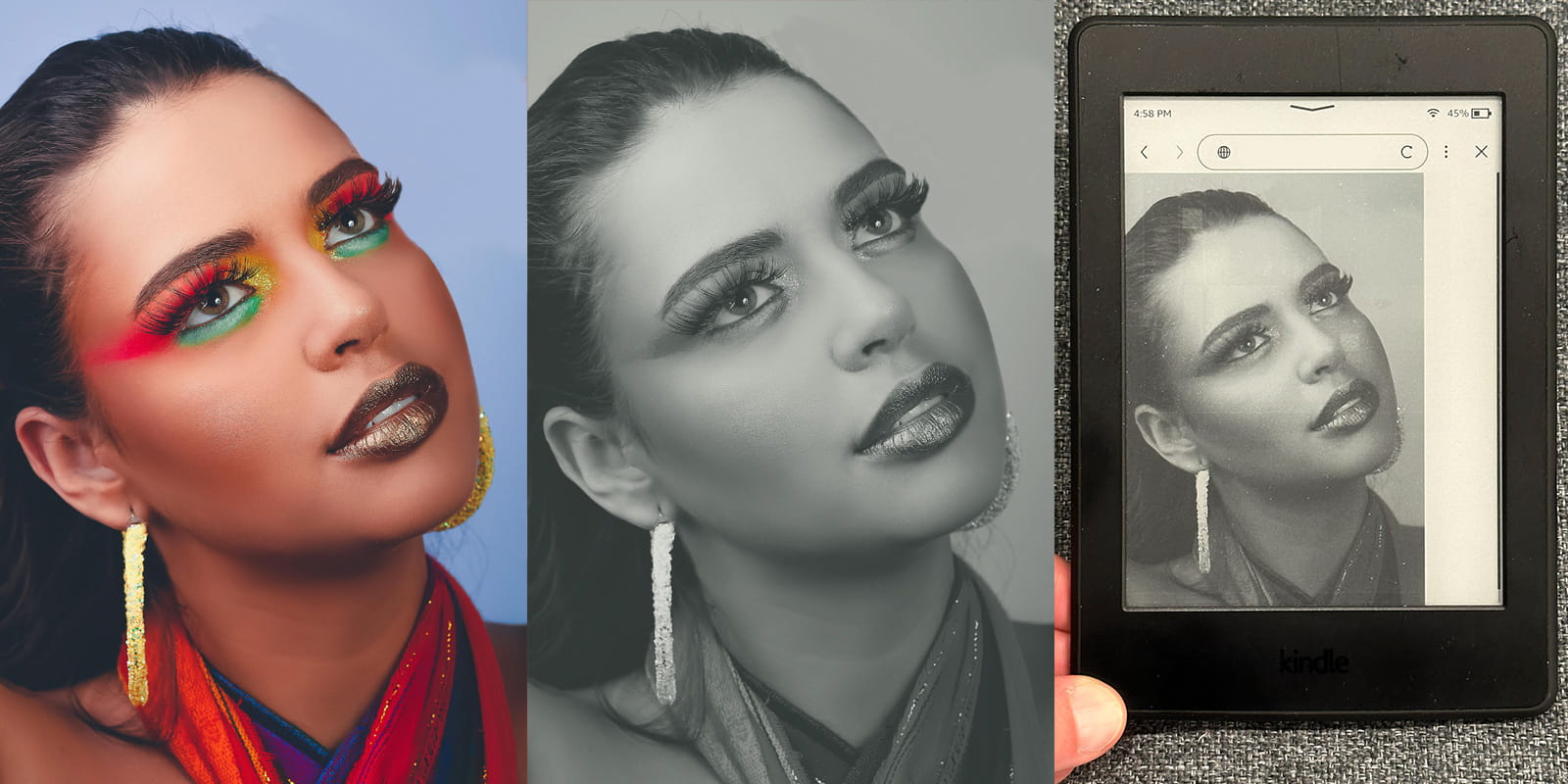
Original photo by Wesley Rocha, composite example by me.
I’m working on a book, and I wanted to see how the ebook cover would look on my Kindle eink ereader. I couldn’t find a way to preview the black and white version of the color cover I uploaded before I published, so I decided to find a way to reverse engineer it in Photoshop.
First I took a reference image with lots of colors and uploaded that image to my website. Second I accessed that image in the Kindle web browser, and took a photo of the image.
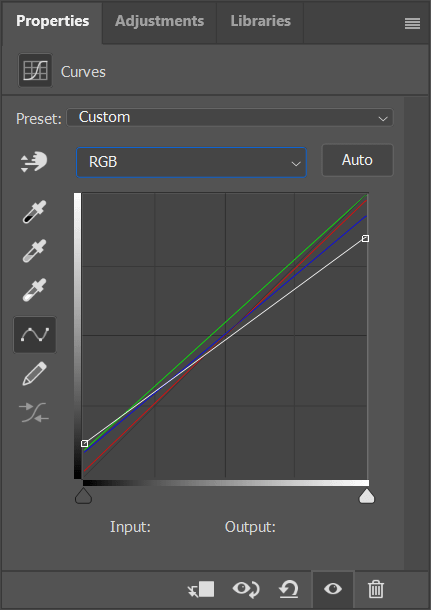
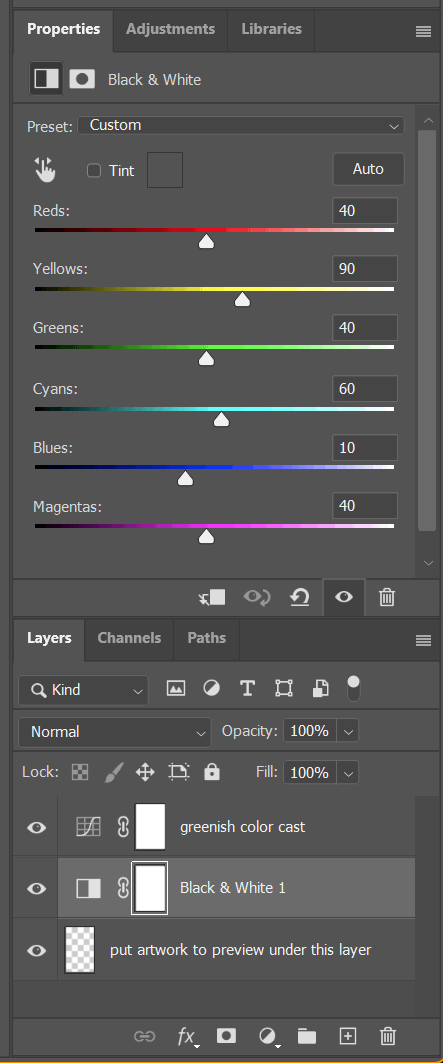
In Photoshop, I loaded both the source image and photo. I added a black and white filter, and a curves filter since there was some brightness and color changes I could see. I got the eyedropper tool to see the RGB values of some known colors, starting with black and white first. I enabled the black and white filter, then I adjusted the overall curves. Next I dialed in each color channel indivually.
I tested a few books that I have on my device to confirm it looked right, then saved out the file as a super tiny image because even a large blank Photoshop document is a larger file.
Here’s the file for you, feel free to download it and test things for yourself.
Here’s the values in case you need them
- Curves Adjustment Layer
- RGB
- Start - Input 0 - Output 30
- End - Input 255 - Output 217
- Red
- Start - Input 0 - Output 5
- End - Input 255 - Output 250
- Green
- Start - Input 0 - Output 24
- End - Input 255 - Output 255
- Blue
- Start - Input 0 - Output 22
- End - Input 255 - Output 236
- RGB
- Black & White Adjustment Layer
- Reds 40
- Yellows 90
- Greens 40
- Cyans 60
- Blues 10
- Magentas 40